Tuesday, May 9, 2023

Understanding Parallel Resistance


I am back on the train control for a few days.  I explained these PCBs awhile back in these posts (post 1, post 2, post 3 and others).  I have installed one and have done some testing on it.  These replace the existing ones I had built many years ago.  

The major difference between the new design and the old design was how the relay(solenoid) driving circuit was controlled.  The driving circuit is a N Channel MOSFET with a DIODE for back EMF protection.  One side of the solenoid is connected to the positive voltage generated from the transformer accessory voltage (simple full wave rectification of the AC signal with lots of capacitance to make it as close to DC as possible).  The other side is connected to the driving circuit which grounds this side of the  solenoid, thus activating the solenoid.  In the original design by Marklin, they used NMOS transistor.  Because NMOS has a relatively high Rds ON, this required TO-220 type package to dissipate the heat.  I am using MOSFET with an Rds ON in the 100's of mOhms.  Thus a SOT-23 package works fine.  When I first did this, I set up a test where a switched a track every 5 seconds for several days.  The MOSFET never got warm.  That convinced me that this would work.

The original design had 32 driving circuits.  Therefore I needed 32 GPIOs, just to do this.  There was an I/O expander from Microchip, but then it was only 8 bits.  That would have meant I would need four of them.  In those days PCB fabrication was a more expensive than today, thus I looked for a smaller footprint solution.  I found a PIC16F1526 in a 64 pin QFP.  Thus I used this as the IO expander with SPI interface from the main PIC18F47J53.  The new design was driven by parts availability as  I described in the earlier posts.  This led to 3 16 bit I/O expanders.  This is the main difference.

The I/O expanders were OPEN DRAIN outputs, which meant when they were on, they needed to be pulled up to drive the gate on the MOSFET.  This afforded an opportuinty to push the gate beyond 3.3VDC and thus drive the MOSFET further into saturation. lowering the Rds ON.  

The new design uses a single MOSFET to provide a bias as shown in post 1 above.  That works for the schematic shown.  But when you put 40 driving circuits in parallel (new design has 40 solenoid circuits), things change.  Normally all the outputs of the I/O Expander are at ground.  Only when driving the solenoid for the several hundred milliseconds does the output tri-state and the bias control pulls it up to 5VDC.  Thus what you have is forty 10K resistors in parallel to ground that is then in series with the 1K pullup resistor on the MOSFET DRAIN, which at this time the MOSFET is off and the DRAIN is floating. 

Going back to circuit theory, the forty 10K resistors form an equivalent circuit of a 250 ohm resistor.  Then the voltage divider shows that the bias point is actually at 1VDC not 5VDC.  Activating a driving circuit has minimal impact on these calculations as 39 resistors in parallel only rise a few ohms.  

In an ideal world, the 1K series resistor should be 10 ohms.  That would change the bias point to 4.88 VDC. But if the MOSFET controlling the bias point should turn on, then 500mA will flow and the resistor would have to dissipate 2.5W.  Not possible with a SMT0603 resistor.  So I put two 120ohm resistors in parallel, which moved the bias point to 4VDC and the total power dissipation to 416mW or about 200mW in each resistor.  Not to specification, but much better than 2.5W.

So the question in my mind is what, if anything, did I do to the one PCB that is installed in the layout.  It seems to work.  There is nothing in my notes about changing the series resistor.  Once I get something installed, I am going to have to pull that one and see what I did.


Monday, May 8, 2023

Brick Shows What is Next


 Brick Fest Live!

 We will be at Brick Fest Live in San Jose CA, June 17 and 18.

Also we will be at Brick Fest Live in San Diego CA August 26 and 27.

 Here is the link to get tickets and the main website.

We attended the last time they were in San Diego, back in Nov 2021.  This towards the end of COVID, so it was a subdued event.  But now these events are going back to full engagement and we look forward to attending.

There may be more, still working on the details.


Friday, May 5, 2023

Microchip BLE Module Comparison


 This shows the relative size comparison of the Microchip BTLE modules.  Numbers are nice, but a visual portrays much more information.  The RN4871 is the smallest.  The newer RNBD451PE is somewhat larger, but maybe all you need depending on what your device is doing.

Enjoy!


Thursday, May 4, 2023

RN4020 to RN4871 Update


I have had my head down while trying to make this transition that I described briefly in this post.  I have had some success and learned a few things along the way.  

I am no BTLE expert and I have tried to slug through the specifications, but it is a tough read for those of us who don't do this on a daily basis.  The RN4020 was 4.2 and the RN4871 says it is 5.0 and beyond.  I am assuming that some enhanced features were added.  My Android code was quite dependent on this real time read feature of the RN4020.  Without this, getting data back was difficult.  

After some reading, I implemented the Notification feature for each characteristic.  I had done this with the Heartbeat characteristic, but now all of the characteristics have this enabled.  This will also enable me to continue to support existing Brick Buddy I controllers.  The Android APP tested to see if Notifications are enabled on the Brick Buddy.  If they are, the new code is implemented, otherwise the Android APP stays with the old methodology.  So now I write to the Characteristic, the 18F26Q71 performs the tasks, updates the characteristic value and then notifies the Android APP the characteristic has changed.  The APP is waiting (in a separate thread) for a few seconds for the 18F26Q71 to respond (plenty of time at 64MHz).

Next issue was finding the the Brick Buddy during scanning.  The Android APP had implemented a scan search on the MyMakerTools UUID.  While it continues to work for RN4020 devices, it failed on all RN4871 devices.  I could scan for it along with every other BTLE device in the house and the neighborhood.  Sometimes I would see 20 devices.  At first I thought this was an issue with the Delphi compiler.  After tracing deep into the library, I decided this was not the issue.  This must be something to do with advertising.  Again, not a BTLE expert and if the spec changed, then I was not seeing it.  I found a note in a RN4870/4871 firmware upgrade document that said:

This led to lots of reading on the NA command, which is about advertising.  So in the RN4871, you have to purposely advertise services.  If the Android APP is filtering on a specific service list, those services must be advertised.  If not filtering on a specific service list, then all reachable BTLE devices show up.  The system will still connect, but it is multi step process that should just happen.

So here is the initialization of the RN4871 across the ASCII UART interface.  Will another sequence work, probably, but I know this works.

  • PZ
  • NA,Z  
reboot here
  • SS,80            ; setup
  • SN,B-Buddy       ; device name
  • SDN,MyMakerTools ; mfg name
  • PS,3425a5cca67643629592a88e132b8b52       ;service
  • PC,b67e3a3b15c941b6a9f2fbf379418d12,12,02 ;characteristic
  • PC,f18e901af3254dfd8cdb68506676dc08,16,08 ;characteristic
  • PC,9bac1d289fc14db097c4896089ad26bb,16,08 ;characteristic
  • PC,39bb1bf917ec41d2b5e4b78551b45740,06,08 ;characteristic
  • NA,01,06         ; set flags
  • NA,07,528b2b138ea89295624376a6cca52534    ;advertised service
  • A                ; turn on advertising


 The first two clear out the services/characteristics and the advertisement data, followed by a reboot.  The next are setup and naming, followed by the service and the characteristics.  The first NA command sets the flags.  The first hex value is the AD Type which is found in Table 2-14 of the RN4870/71 Users Guide.  The next is an 8 bit value that reflects which flags are active.  You will need to search the internet to find this, but 0x06 is the most common value.  The last NA command is the advertised service.  You will notice that is does not match the service.  For whatever reason, the NA, 07 command will not take the value as the PS command does, it needs to be completely byte swapped.  Not the most user friendly, but probably made sense to someone.  Finally I purposely started advertising.  This is supposed to be the default, but it costs very little.  I did not test the initialization without this, so I don't know if the default is works also.

I am back to where I was with the RN4020.  I still need to verify the Android APP with the original Brick Buddy, but that is a task for another day.


Tuesday, May 2, 2023

Upgrading from RN4020 to RN4871


 I am in the process of upgrading the wireless interface for those people who want to install it.   I was hoping that moving from the RN4020 to the RN4871 would be simple and painless.  As is always the case now, it was not.

I use the ASCII interface over a standard serial UART.  While most of the commands are the same, there are changes.

  1. They have included a delimiter on all GATT messages (%) plus a few others.  While it makes the parsing a little easier, it changed the way the parser worked.  
  2. The RN4871 is very sensitive to power and the reset input (see this post).  When I designed Brick Controller 3, I used the PIC nMCLR input to reset the RN4871.  This in turn is driven by TC54 reset controller.  So that part is good, since it appears the RC type resets don't work.  I do have a spare GPIO now, so I could cut/jump that in if it becomes necessary.
  3. There is a transparent UART mode, but I am not sure how much Android work that will entail, if it is even possible.
  4. The most important change was the elimination of the real time read mode.  The mode would send a message across the UART that the phone was about to read the characteristic.  This would allows the PIC just enough time to update the characteristic value before the phone read it.  That is not implemented in the RN4871.  So I am looking at other ways to do this.

I mostly have the interface working.  It seems to be stable, though the code needs some work.  The 18F26Q71 running at 64MHz, is just too fast for a 115200 baud rate.  During initialization, I have to make sure that the RN4871 response has come in before moving on to another command.  While this implemented in essentially "wait for it to happen" code, this needs to move into the switch function of the BT_TASKS subroutine of the main loop.


Monday, May 1, 2023

Brick Days 2023 - After thought


Here is a video of the space base at night.  Could have been better,  Maybe I should buy a steady cam.😁

Friday, April 28, 2023

Brick Days 2023 Recap


I always enjoy this show.  It is a hard two days of driving from Western Nevada to Omaha, but it is worth it.  I give great credit to LOLUG for producing a show that appeals to wide variety of people and ages. 

What did I learn?  

Setup was long but easier than the last time I set up the MOC.  The infrastructure work I did made a huge difference.  Connecting power to all the modules was much easier than before.  The Power connections in the front entrance need some work.  The connection block does not come out far enough to be useful.  There is plenty of wire behind it, it is just tied off to prevent it from becoming an issue with the main entrance.

Also in this picture you can see one of the support blocks with post in the center.  The entire unit was too tall to fit in a 64 quart storage container.  It was sitting on 5 brick high blocks to bring it to the same level as everything else.  Instead of removing these in an haphazard process, I did this so it would just slip in.  Lining up all seven blocks is not that difficult.

The tables were 30 inches deep, which is exactly how deep the semi circle version is.  This means that some of the pieces are hanging over the front edge.  Also the two modules on each end are perpendicular to the front and can be hard to see, as shown here.


The next setup may not curve into a semicircle, but go longer.

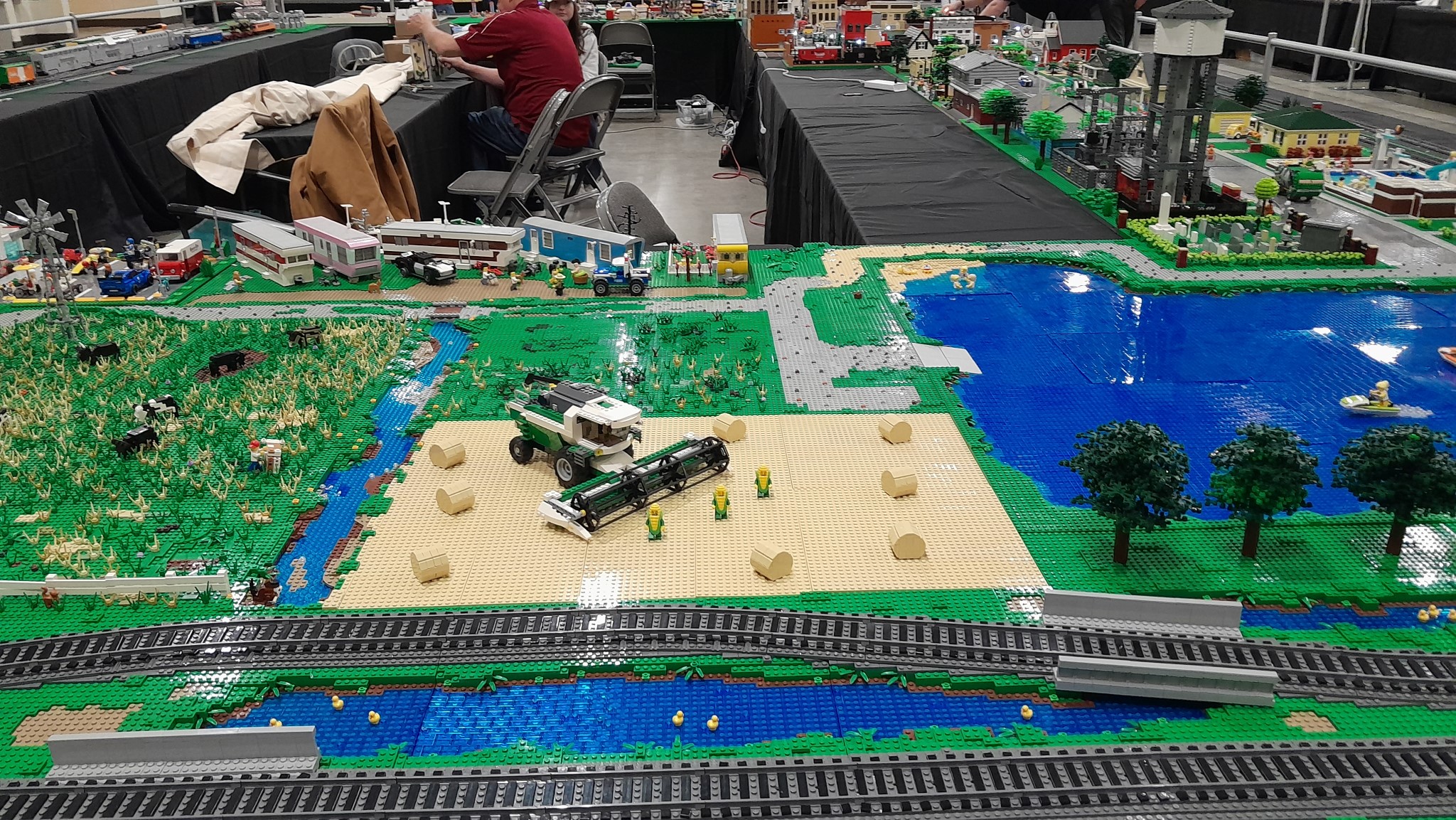
Here are some more pictures.


Looking forward to next year.