Thursday, January 12, 2023

Solar Shed - A Beginning

The Controller

As a distraction from my long term projects, I decided to start working on a usable version of the Solar Charger for the Shed. Right now it is just an LT1085 3 terminal regulator set to 14.4VDC. The Solar Panel puts out up to 24 VDC Open circuit, but will fall dramatically when current is drawn. So the LT1085 output just follows the input with a 1.5 volt drop when the input voltage drops below ~16VDC. When the battery is fully charged, it seems to trickle charge just fine at 14.4VDC.

My idea for this is to add some relays and a PIC to monitor voltage. When the battery voltage gets to 14.4VDC, the solar panel/ LT1085 is disconnected. When the battery drops below 14VDC, the panel is reconnected. Or some numbers similar to that. The idea is to protect the battery from excessive voltage. This is basically what a battery charging circuit would do. Just an extra safety check so I dont have to worry about this.

Time to move on to a design I can install.  This is definitely a one off.  Thus I am looking for an inexpensive solution.  I have multiple Microchip Development boards that I no longer use, so that seems like the place to start.  Additionally I have several OLED displays.  

The Development board I chose was the CURIOSITY HIGH PIN COUNT (HPC) DEVELOPMENT BOARD, DM164136.  This has a PIC18F47K40 ( which cannot be bought right now, maybe later in 2023).  This has two MIKROE CLICK board sockets on it, which goes well with the several OLED Click boards I have.  So I started out to get the OLED to work, then I would need to build a small perf board addon for the LT1085, relays and connections.  This seemed easy and quick. 

Well......................the first step took over 3 days on and off.  I could not get the OLED to display any text.  The FONT file is placed in program FLASH memory, because it is much bigger than the available RAM on this PIC.  I finally drilled down into the C compiler generated assembly code to watch the TBLRD opcode always show a read of 0x00.  I double checked the FLASH to verify the FONT file was there.  Something kept nagging at me that I needed something else to make this work.

Off to search the Internet.  After tooooo many hours, I stumbled on a comment that you need to read the errata.  In this always useful document, was a known defect on one version (my version of course) that the TBLRD opcode did not work unless a certain two bits in a certain register were set correctly, not the reset value as the data sheet says.  And then it came back to me that I had the same problem before with this PIC and the Dev board the first time I did this. For some reason the fix was not in the code I thought worked when I started this a few days ago.

In the end I am now going to package up the OLED code and place it in the repository so I have this for future OLED Projects

And just to make it more fun, I spent one morning trying to understand the color pattern.  It has a 5-6-5 (RGB but maybe BGR, SW controlled) pattern to keep it to 16 bits and 65K.  But it is also inverted this pattern in the OLED controller, so you have to put the inverted value in.  Too many variables, but i found the right order and the bit pattern to finally get something out of it.  Plus there were some hard coded sections in the driver that needed fixing from the last time I worked on this.  But I am declaring victory.  I got 4 lines, with no reading glasses required, and about 8 characters, which should be enough.  R-G-B is OK, but the intermediate colors are off.  Last line is supposed to be yellow and white looks awful pink.  The OLED also has a burned in pattern at times from previous use, which might be why the intermediate colors are off.  But again, good enough for this.

And here is the chosen OLED, (OLED-C MIKROE 1585) working.


Wednesday, January 11, 2023

Android Updates

Well once upon a time, it was very easy to develop, test and push into the PlayStore.  I guess Google became jealous of Apple and its layers of requirements.  At som epoint I do understand that they need to have standards, but these updates every year are time consuming for the single person developer.   I spent the last 3 days trying to move one app (TDust) into the play store.  Now part of it is truly my fault for not keeping the apps up to date.  So trying to move from API 24( #7) to the new required API 30 (#11) and 64 bit versions has been fun. I can test on Adroid 7,8,11 and 12 with the devices I have.  I actually went to Best Buy and bought an unlocked phone.  It was $165 if you activate it and $165 if you dont.  Naturally I did not activate.  It is more a less a mini tablet.

I had already done the Permission thing before, but Google keeps changing the permissions required.  When permissions were implemented, to use BLE you need to have location permissions. I suppose it is because there is small possibility that the location of the phone can be determined.  But this changed as the APIs advanced.  First it was coarse location then fine and now coming in API 31 (#12) no location as long as you swear on someone's grave you wont use BLE to find the phone's location.  Actually they are completely revamping the permissions around BLE it looks like.

I am only complying with API 30 and the new App bundle requirement for now.  This is good for new apps until Aug 2022 and Updates until Nov 2022, at which point it is API 31/32.  With the price of gas, I assumed I would not be making many trips this summer, but that did not happen as we were gone much more than planned.  

When I went all the way to API 30, it all failed big time.  The program crashed, the debugger failed, it was a mess.  So I went back two revisions on the Embarcadero Delphi compiler, API 24 and the last set of code that worked from SVN.  That worked on all the devices, though Android complained a lot when installing on the newer devices. So I slowly marched up the API list.  One thing I did was create a separate code module to handle the permissions.  That way once I figured it out, it would hopefully work for all my programs.  When I got to API 29 (#10) I had to switch the compiler version, since the older version did not support API 29(#10).  This is where permissions started changing and I had to research what was happening.  After two days I finally got it all working on API 29.  I am now one step away.  At this point I had to move to the latest version of the compiler.  This caused quite a few library types to change, but I was smart enough to implement conditional compilation so that I could go back and forth on the compiler versions.  This proved useful as API 30 did not come easily.  But after a day of searching and changing, the app finally worked on all the devices with API 30 as the target.

Then uploading to the Play Store became another fun thing.  You cant upload APKs any more they have to be in the new App Bundle format. And now signing/encrypting the App is not good enough, the upload has to have a key also.  They can be the same, but they recommend against it.  Well I converted my existing key to the format they wanted but could not figure out how to generate a separate upload key.  So for now they are the same.  Supposedly I can change the upload key, I just cant change the App key.  I uploaded the app and then the Play Store went nuts about a permission, background location.  I had read the it was now required, but they wanted to know why I was using and to provide a 30 sec video showing how it was used.  Then a week or so they would get back to me.  So I deleted the upload, went back removed the permission and tested again.  It all seemed to work.  Upload this new version, no complaints and it was published.

But it cant end here.  I then tested the install on the devices. The older devices were still installing the older version, don't know why.  Something I have to look into.  But the 64 bit version just crashed on start.  So back to the devices.  The compiler keeps separate configs for debug and release.  I had failed to test the 64 bit release version.  Found a setting in the 64 bit release config that was wrong.  Once that was fixed, the 64 bit devices started working.

I still need to find out why the new 32bit version is not installing.  You would thing this is not a big deal, but............  The Samsung A13 I bought at Best Buy is an ARM8 64 bit, but they installed the 32 bit version of Android.  So even if Google is screaming 64bit to everyone, some of the big guys are still installing 32 bit OS, even on 64 bit ARMs. 

Next is the API 31/32 update due in Feb 2023 now.

Tuesday, January 10, 2023

Solar Shed - An Idea

I have an IDEA😁

I have this nice shed in the back that I use for lumber storage and gardening.  Keeping the door open has been problematic, so I installed a 12 VDC LED light strip I had left over.  I obtained this battery at the electronics flea market, probably should have bought more, they were only a few dollars each.  LiFePo4 batteries are probably the safest Lithium cells in existence (relative statement).  I have used them in a project where the group was motorizing Kayaks.  They were very easy to deal with and very tolerant of the environment and the charging.  

I bought his solar panel at home depot, regular $49.99 on clearance for $13.03.  This is a 7.5W output and 24 volts open circuit.  Max current appears to be 500mA.  

The battery wants about 14.4VDC to charge.  So I went through my parts to see what regulators I might have.  I found an LT1085, one of the first high current 3 terminal regulators.  At 3 AMPS  it should handle what I need.  I built the little perf board you see in the first two pictures with other parts I had.  (220uF caps at 100VDC on the in and out).  

As you draw current out of the solar panel, the voltage drops like a rock.  As the voltage drops below 14.4VDC, the LT1085 just follows the input at about 1.5VDC drop.  Thus when the current draw is the greatest, the voltage drop across the regulator is the lowest.  As the current goes down the input rises, but the power drop across the regulator is also decreasing.  At the end there should be about a 10V drop across the regulator, but only about 50mA trickle charge.  

I prefer not to leave this connected during extended road trips.  But at least I got it going.  I will be interested to see how will the solar panel holds up in the sun, all year.  If the plastic casing does not have UV inhibitors in the plastic, this may be a 12 month solution only.   We shall see.  There is a reason it was $13.03.


Ubuntu Fun


I have two micro ATX boards with ATOM processors.  I had one in the house for some secure processing ( but that has changed) and the other in the garage for a music player and to do Linux development.  The garage version surfaced with a dead SSD.  Not sure what happened, but I got a new one and started installing Ubuntu 22.04, latest and greatest.

Well the boot  USB stick didn't boot.  It would tell me it was going to, then blank screen with a blinking cursor.  After about 30 mins of this I found out that it had something to do with MBR and GPT and maybe UEFI.   Alphabet soup was easier to digest.  I figured out that the stick was GPT formatted, but I could not find a way to convert it to MBR.  The bootable stick creator from Ubuntu had one option, where is the ISO file (more Alpha Soup).  I searched around and found older Ubuntu instructions that used a different bootable stick creator(Balena Etcher) and it let me select GPT or MBR.  Off to the install. It all started according to the WEB instructions.

The install was all done and Ubuntu 22.04 would not boot up.  After searching again, these GPT UEFI thingees kept showing up.  In this process I did find the UEFI switch in the BIOS SETUP. With that changed, Ubuntu booted, although slower than I remember. The first USB stick probably would have started if I had found the UEFI switch earlier.  I did all the updates. then tried to launch FireFox, but it would not start.  Actually lots of things would not start. Some basic simple programs worked, but otherwise no luck.  In all fairness, the specs did say at least two cores and four was recommended.  Looks like Ubuntu 22.04 is just too much for the little ATOM processor.  So I backed up to Ubuntu 18.04 which I think is the last one I had running on these.   New USB stick and we are off installing again.
 

With the install done, Ubuntu 18.04 booted and quite quickly.  So I am very pleased with that.  Installed the network connection, loaded up the music files and at least I have sound in the garage again. Started loading a few other programs that I have used and did the big update.
 

There seems to be some conflict with Ubuntu 18.04, Kodi 17.6 and the HD Homerun plugin, but that is for another day.  But not too distant, this is how I watch TV in the garage.

Monday, January 9, 2023

Back to the Blog


It has taken to long to get back to this.  Right after Bricks by the Bay 2022, we hit the road for an extended period of time.  Gone for two weeks back for one, out again for 17 days back for two weeks, gone for over a month, etc etc etc.  Some time after Thanksgiving, the road trips stopped and I have been trying to regroup ever sense.

Off to make a concerted effort to keep this Blog going at least until May.  Here are the topics that I hopefully am going to cover.

  • Added a Solar Panel to my outdoor Shed
  • Did a major upgrade to the sewing room
  • Made progress on the Brick Controller for LEDs
  • Made a much smaller LED controller
  • General Software progress
  • Observations on Android updates
  • Train updates
  • General musings on developing electronic projects 
  • Plans for Lego conventions this year


And finally


Wednesday, July 6, 2022

More Android Fun

android robot icon

In the post, Android Fun,  I described some of the issues I went through converting my first App to API30.  I am almost done converting the next two Apps.  While some of the issues were the same, a whole host of other issues and errors happened with these.  Here is a recap of my progress so far.

As I commented in Embarcadero's public JIRA, RSP-35804, I had problems converting existing Android Apps.  For those who do not have access, here is the text.

" I came here from RSP-35919 (Android 12 - Bluetooth LE discover devices - access to location). I was updating a BTLE app from API 23 to API 30 for the Aug 2022 deadline. I started with Delphi 11.1 and had the same issue. The APP would fail during initialization. I backed up to 10.3.3 and API 23 and verified it still worked. Then moved through the API levels one at a time, changing to 10.4.2 when needed, then 11.0 and finally 11.1 and API 30. Made the changes needed at each API level and compiler version. (Note: when the permission types changed in 11.0, I created conditional compiler code so I could easily go back and forth between 10.4.2 and 11.0). It now works. What I changed that allowed it to work on 11.1 and API 30, I am not sure. Tested on Android 7,8,11, and 12. Both 32 and 64bit. Again, I am only doing BTLE device discovery, not location."

I have now converted my second App which was a little more complex than the first one.  I had similar but different problems.  At one point I had an error in  FMX.Platform.Android, TPlatformAndroid.Create, on the line Activity.addListener(FActivityListener) which caused the App to hang with no Android error message,  along with the location error RSP_35804 and a few others.  I used the same basic process I describe above.  What I am beginning to think is that the issue is a combination of the Android Manifest, library update (as described here) and carefully reviewing the project deployment page.  Here is the closest process I have to a conversion checklist.

  • At every API level change, delete both the Android Manifest Template and the Android Manifest.  Start fresh.  If you manually change this, make sure you save your changes elsewhere so you can update these later.  Since I had not updated in a while, I had to start with 10.3.3, you start with where it worked last.
  • Make sure you clean the project before Building.  Then go look at the directory and see what is left.  You might want to delete whatever is left, unless it is a file that you specifically need to be included.  (See the next item and CLASSES.DEX)
  • Carefully review the Project Deployment Options Page (PROJECT->Deployment) in all configurations (32 bit, 64 bit, DEBUG and RELEASE).  This is especially true when going to version 11.x.  The CLASSES.DEX file moved from the DEBUG/RELEASE directory to a <projectname>.classes sub-directory.  Going back and forth between 11.x and 10.4.2 can orphan the CLASSES.DEX and I think this is causing issues.  (What I dont like is you cannot delete anything on this page that the IDE inserted.  So if you have been carrying this project since 10.0 or before there can be a lot of excess baggage.)
  • When you get to version 11.x, it is imperative that you update the libraries as described in the link above for every project.  This is not an IDE global update, but appears to be a project specific update.

The better approach may be to start the project fresh when moving to 11.x.  I have not done this, so I do not know what fun things this idea can bring. 


Tuesday, June 28, 2022

Bricks by the Bay - Recap


The first live Bricks by the Bay since 2019 (@bricksbythebay_official).  It was the same and then again it was different.  The venue was the same as the last few times, so that was the same.  All the MOCs were in the center of the ball room and the vendors were around the sides. 


The MOCs were arranged by theme.  Unfortunately we were busier than in times past.  So we were not able to take as many pictures. (Actually my free time was spent in the two brick piles searching for parts.  I should have been taking pictures, but the draw of the brick pile was just to strong to overcome.)  


The one I should have taken pictures of was an interesting "mixed media" presentation.  To recreate a lot of the StarWars scenes, Dagobah, Ewoks, etc, they used a form of Japanese Bonsai trees with extended above ground root structures.  These roots were then woven into the MOC for an extremely realistic effect.  This is something that could not be done in pure LEGO.

The attendance was of reasonable size given the circumstances.  Not as big as in the previous years.  Traffic was much better on Saturday than it was on Sunday, which is fairly typical of these events. We would have like to see more people, but the ones that were there were highly motivated.  There was a lot of interest in what we were working on.  The softwear side had lots more interest than in the past. While our basic controller and USB power devices always draw lots of questions, there was a lot of interest in the Lighting effects we were showing.  Besides our MOC display, we had a demo of the new light controller.  Here is a video of it running the demo script.

One of the most visited vendors are those with bulk LEGO or brick piles.  Placed on a table or on the floor, people of all ages will rake through the Bricks looking for that one piece they need, select colors to fill out their inventory or just pick out every part they can find.  While the competition for select parts can be fierce, it is always a congenial competition.  I think the Bricks just brings out the best in people.  It does not even come close to Big Box stores on Black Friday.


Here is a quick video of the display we used to attract people to the table.I only brought three sections, the new Main Section that I first showed in Omaha in April, the Vertical Generator, the Space Port and the areas behind the cliffs.  These areas behind the cliffs are yet to be finished and are only the beginnings of a larger space that will exist behind the cliffs.


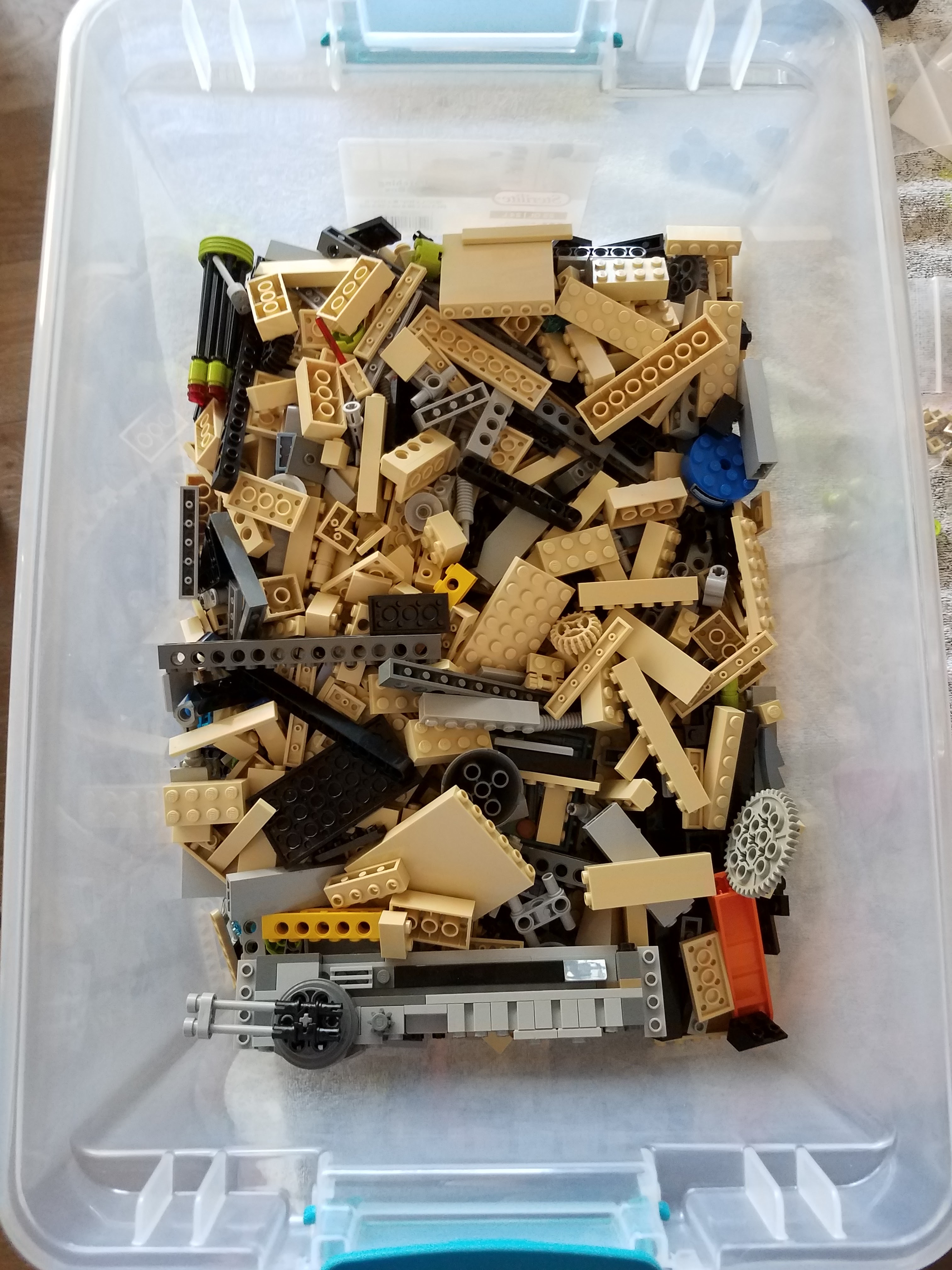
As I indicated earlier, I did spend a lot of time searching for parts in the brick piles.  Here is my collection prior to some washing and sanitizing.


 That is it for now, looking forward to next year.